Client Proofing & Delivery
How to Get Clients to Choose Their Photos Faster
Clients taking weeks to pick images? Speed up photo proofing for clients with fewer choices, clear deadlines, selection limits and smart follow-ups.
PixoProof Team4 min read

Clients choose photos faster when you give them fewer decisions, a clear deadline and a simple way to shortlist. Slow selections are rarely about indecision alone. They're usually a workflow problem, and good photo proofing for clients fixes most of it before you send a single reminder.
Why selections stall
If you've ever waited six weeks for a client to "just pick a few", you're not alone. The usual culprits:
Too many images. Three hundred near-identical frames is overwhelming, not generous.
No deadline. "Whenever suits" quietly becomes "never".
No clear limit. Clients don't know if they're choosing 10 or 50.
A clumsy process. Typing file names into an email feels like homework.
Two decision-makers. Partners disagree and nobody wants to go first.
Fix these and you'll spend far less time chasing.
Cull harder before you send
The fastest way to speed up selection is to send less. Remove duplicates, near-duplicates and any frame you wouldn't happily see printed.
If you have five shots of the same pose, send the best one or two. Clients trust you to make that call. It's part of what they're paying for.
Organise the gallery so it's easy to scan
A single endless scroll of images is tiring. Group photos into logical sections so clients can make decisions in small chunks.
For a family session, that might be:
Whole family
Kids only
Parents
Candids and details
Clients can then pick a favourite or two from each section instead of facing everything at once.
Set a selection limit and say it upfront
Tell clients exactly how many images their package includes. "Choose your 20 favourites" is a clear task. "Let me know which ones you like" is not.
A limit also protects your packages. If clients want more, that's a conversation about upgrading, not a quiet scope creep.
Give them a deadline that feels helpful
Deadlines work best when they're framed around the client's benefit. Try:
"Choose by the 15th so your album is ready before Christmas."
"Selections in by Friday means retouched images in your inbox next week."
Put the deadline in your contract, your welcome email and the gallery invitation. Then it's a known step, not a surprise demand.
Make shortlisting simple
Clients rarely pick their final set in one pass. Give them a process that matches how people actually decide.
First pass: heart anything they love, no limits.
Second pass: review only the hearted images and narrow down.
Final pass: compare the last few side by side and submit.
Share this three-step method in your invitation. It turns a big, vague task into three small, easy ones.
Follow up based on what's actually happening
Generic reminders are easy to ignore. A reminder that matches what the client has done is far more useful.
Not opened: "Just checking the gallery link reached you safely."
Opened, no picks: "Tip: start by hearting anything you love. You can narrow it down later."
Partly selected: "You're halfway there. Just a few more to choose."
To send these, you need to know where each client is. That means a tool with activity tracking, not a shared folder.
Send the gallery at the right time
When you send matters as much as how. A gallery that lands on a busy Monday morning competes with work emails and school runs.
Many clients have more headspace in the evening or on a weekend. Send it then, with a short, warm note, and they're more likely to dive in straight away.
A worked example
Say a client receives 250 images with no limit and no deadline. They open the gallery, feel overwhelmed and close it. Three weeks later, you're still waiting.
Now imagine 80 culled images in four sections, a limit of 20 and a deadline two weeks out. The task is smaller, clearer and time-bound. That's the version most clients finish.
How PixoProof speeds up selection
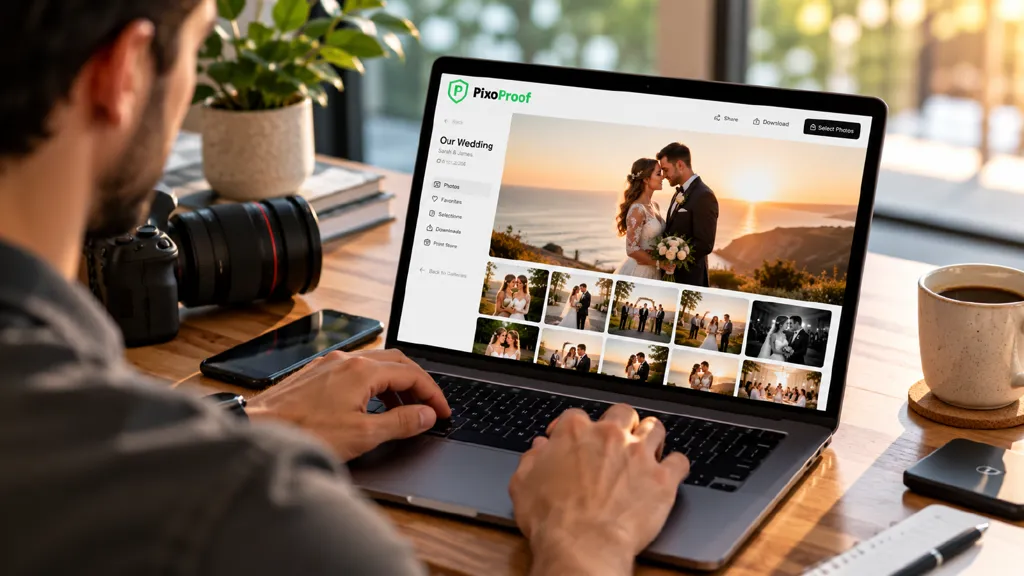
PixoProof was designed around this exact workflow. Photo Sets group images into tabs, such as Studio, Golden Hour or Details. Clients heart favourites, create multiple named selection lists and leave notes or retouch requests on individual photos.
Set a selection limit, and when clients reach it, the rest of the gallery locks and they're ready to submit. The live activity feed shows invites, gallery opens, selections and downloads. Analytics include a funnel showing where clients stall, so your follow-ups are targeted.
Selections arrive with notes, ready for Lightroom. Copy the file names or download the list, then get editing.
The takeaway
Faster selections come from fewer images, clearer limits, a friendly deadline and an easy shortlisting process. Add follow-ups based on real activity, and "I'll get back to you" turns into "Submitted!"
Start free at pixoproof.com. Your Photos. Your Rules.