Protect Your Work
How to Stop Clients Screenshotting Your Proofs (Without Being Awkward)
Want to stop clients screenshotting photos without souring the relationship? Practical, friendly steps to protect your proofs and keep sales intact.
PixoProof Team4 min read
You can stop clients screenshotting photos by combining clear expectations, smart gallery settings and a proofing tool that blocks screenshots where selections happen. The trick is to make protection feel like part of a premium service, not an accusation. Most clients aren't trying to rip you off; they just don't know screenshots hurt your business.
Why clients screenshot proofs in the first place
Before you fix the habit, it helps to understand it. Screenshotting is rarely malicious. It's usually one of these:
Sharing excitement. They want to send Mum a preview of the newborn photos right now.
Comparing options. They screenshot five favourites to decide between them in their camera roll.
Not knowing the rules. Nobody told them proofs aren't final images.
Budget pressure. Some clients hope a screenshot will "do" instead of buying the file.
Only the last one is a real sales problem. The first three are communication problems, and they're easy to solve kindly.
Set expectations before the gallery lands
The least awkward conversation is the one you have before anyone has done anything wrong. Put your proofing rules in places clients already read.
Your contract. Add a plain-English line explaining proofs are low-resolution previews and are not for sharing or printing.
Your welcome email or booking guide. Explain how selection works and when final images arrive.
Your gallery invitation. A one-sentence reminder, framed positively: "These are previews. Your finished, retouched images are on the way."
Framing matters. "Please don't steal my work" puts clients on the defensive. "Your final images will look so much better than these previews" makes them want to wait.
Give clients a better option than screenshots
People screenshot because it's the easiest way to do what they want. Give them an easier, better way.
Let them favourite inside the gallery. If they can heart photos and build a shortlist, they don't need their camera roll.
Offer a sharing preview. Pick one or two sneak peeks you're happy for them to post, watermarked and credited.
Make final delivery fast. The longer the wait, the stronger the screenshot temptation.
A client who already has a gorgeous sneak peek on Instagram has far less reason to grab blurry screenshots.
Use watermarks that discourage sharing
Watermarks are your second line of defence. A generic logo in the corner is easy to crop out. A watermark across the image is harder to remove, but can spoil the viewing experience.
A good middle ground is a personalised watermark that includes the client's name or email. It's subtle enough not to ruin the photo. But nobody wants to post an image with their own email address stamped on it.
Control what clients can do on the web
Web galleries are where most screenshot habits begin. Check what your current setup allows:
Can clients right-click and save?
Can they download full-resolution files before paying?
Does the gallery stay visible when they switch to another app or tab?
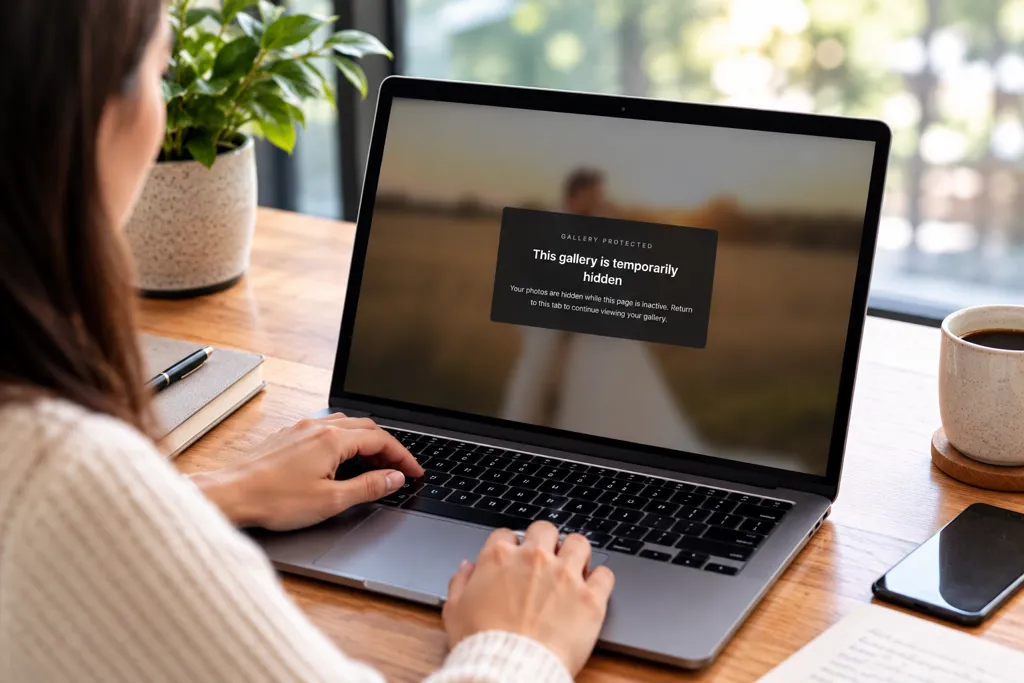
Turn off downloads until a gallery is paid for or finalised. If your tool supports it, blur the page when the client switches away, which makes screen-capture tools much less useful.
Handle a screenshot calmly when it happens
Even with great systems, someone will eventually screenshot a proof. How you respond decides whether you keep the client.
Keep it light and assume good intent. Something like: "Hi Sarah, I noticed a few screenshots from your gallery. Totally get the excitement! Just a heads-up that previews aren't retouched, so I'd love you to share the finished versions instead. They'll be with you by Friday."
That message does three things. It shows you noticed, it explains why it matters, and it gives them something better to look forward to. No lecture required.
Be honest about the limits
No tool can stop someone photographing a screen with a second phone. Anyone promising total protection is overselling.
What you can do is make copying inconvenient, traceable and pointless. Combine low-resolution previews, personalised watermarks and fast delivery of beautiful finals. Then the screenshot is a worse version of something the client is about to get anyway.
How PixoProof helps
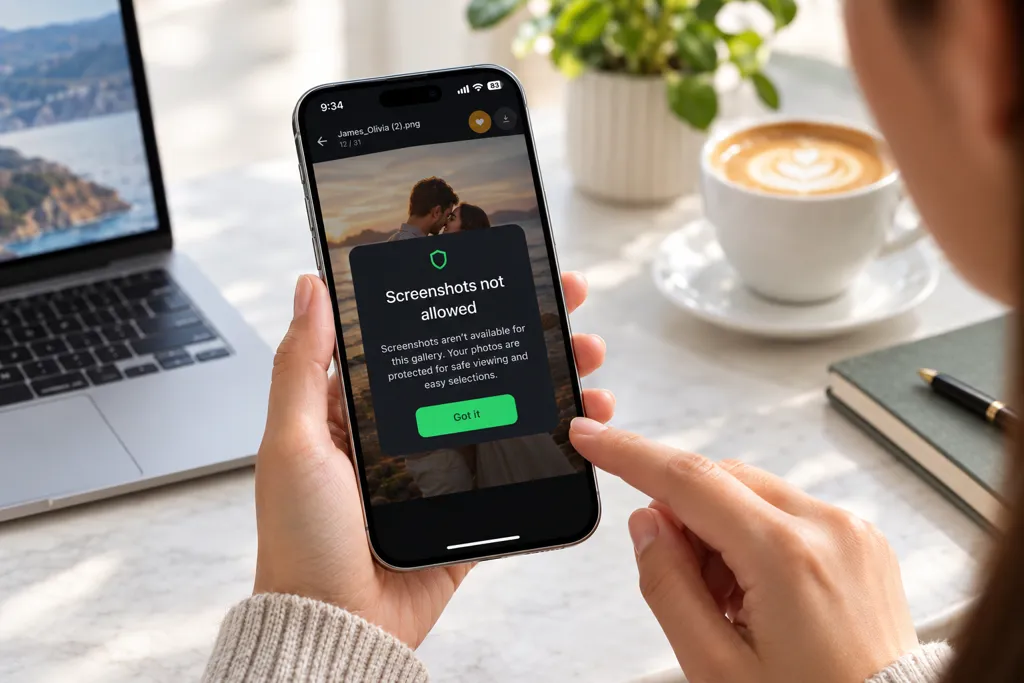
PixoProof was built around this exact problem. Clients make their selections in the PixoProof mobile app for iOS and Android. In the app, screenshots and screen recording are blocked, and every screenshot attempt is reported to your dashboard and by email.
That gives you a gentle, factual reason to start the conversation. You're not guessing; you know.
You decide whether clients get web access at all, and what they can do there, including whether downloads are allowed. The web gallery blurs when the client switches away. Dynamic watermarks can include the client's name or email. Clients heart favourites and leave notes inside the gallery, so their camera roll stays out of it.
The takeaway
Stopping screenshots isn't about catching clients out. It's about clear expectations, a better alternative and settings that quietly do the protecting for you. Get those right and the awkward conversations mostly disappear.
Start free at pixoproof.com. Your Photos. Your Rules.