Protect Your Work
What modern screenshot protection looks like
Strong protection works in layers, so each one covers the gaps of the others.
PixoProof2 min read
No single feature stops every copy. Strong protection works in layers, so each one covers the gaps of the others.
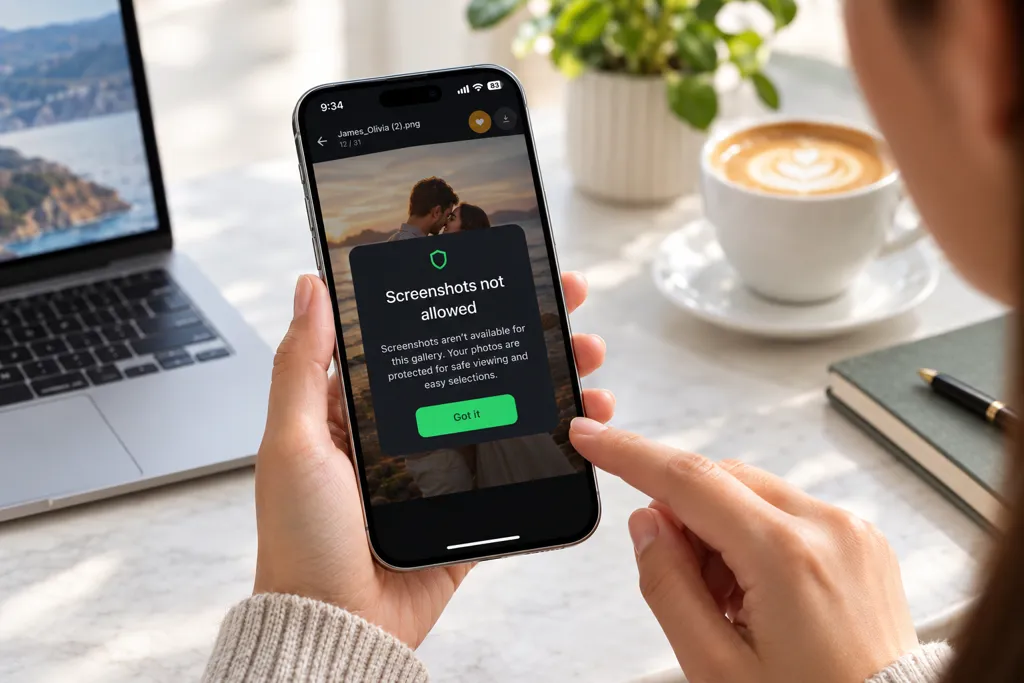
Screenshot and screen-recording blocking in an app. On phones and tablets, a dedicated gallery app can block screenshots and screen recording at the system level. This is the strongest layer, and it is only possible inside an app, not a normal web page.
Instant alerts. When a client tries to take a screenshot, you are notified with the gallery and photo. You know what is happening instead of guessing.
Dynamic watermarks. A watermark that includes the client's own name or email discourages sharing, because any copy points straight back to them.
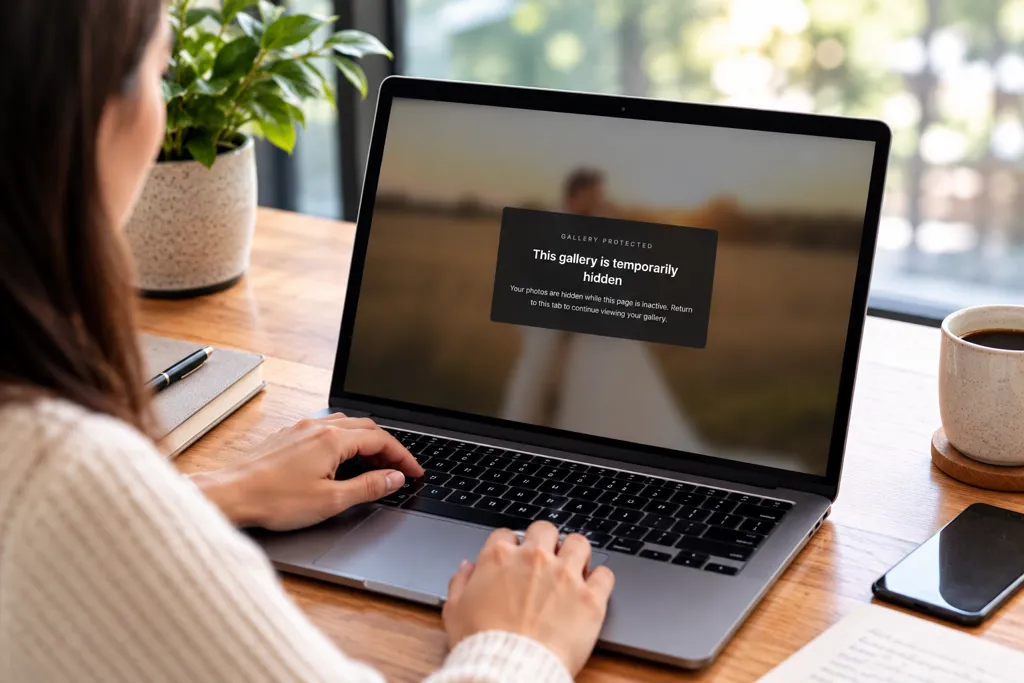
Blur when the page loses focus. On the web, the gallery blurs when the client switches to another window or tool, which makes snipping tools far less useful.
Download controls. You decide if and when clients can download, and at what size. Downloads stay off until the selection or payment is done.
Private access. A private link and PIN keep galleries away from search engines and unwanted visitors.
Together, these layers move protection from "hope they don't screenshot it" to a system you control.
Protection without spoiling the client experience
Security should never make your gallery feel like a locked vault. Clients should still enjoy browsing their photos, picking favourites and leaving notes. The best protection works quietly in the background.
It also helps to be honest about the limits. No software can stop someone pointing a second phone at the screen. The aim is not perfection. It is to make copying hard, visible and not worth the effort, so buying the image becomes the easiest option.
Set expectations early, too. A short line in your contract or welcome email explaining that galleries are protected, and how to order images, avoids surprises and protects the relationship.
How PixoProof protects your galleries
PixoProof was built for exactly this problem. Clients make their selections in the PixoProof mobile app for iOS and Android, where screenshots and screen recording are blocked and every attempt is reported to your dashboard and by email. Web access is optional, and you decide whether clients can use it and what they can do there, such as downloading once you're ready.
Every gallery also includes watermarks with your client's name, private link and PIN access, download controls, and live activity tracking. Clients still get a simple, modern way to favourite photos, sort them into lists and leave notes.