How to Enter the Gallery PIN
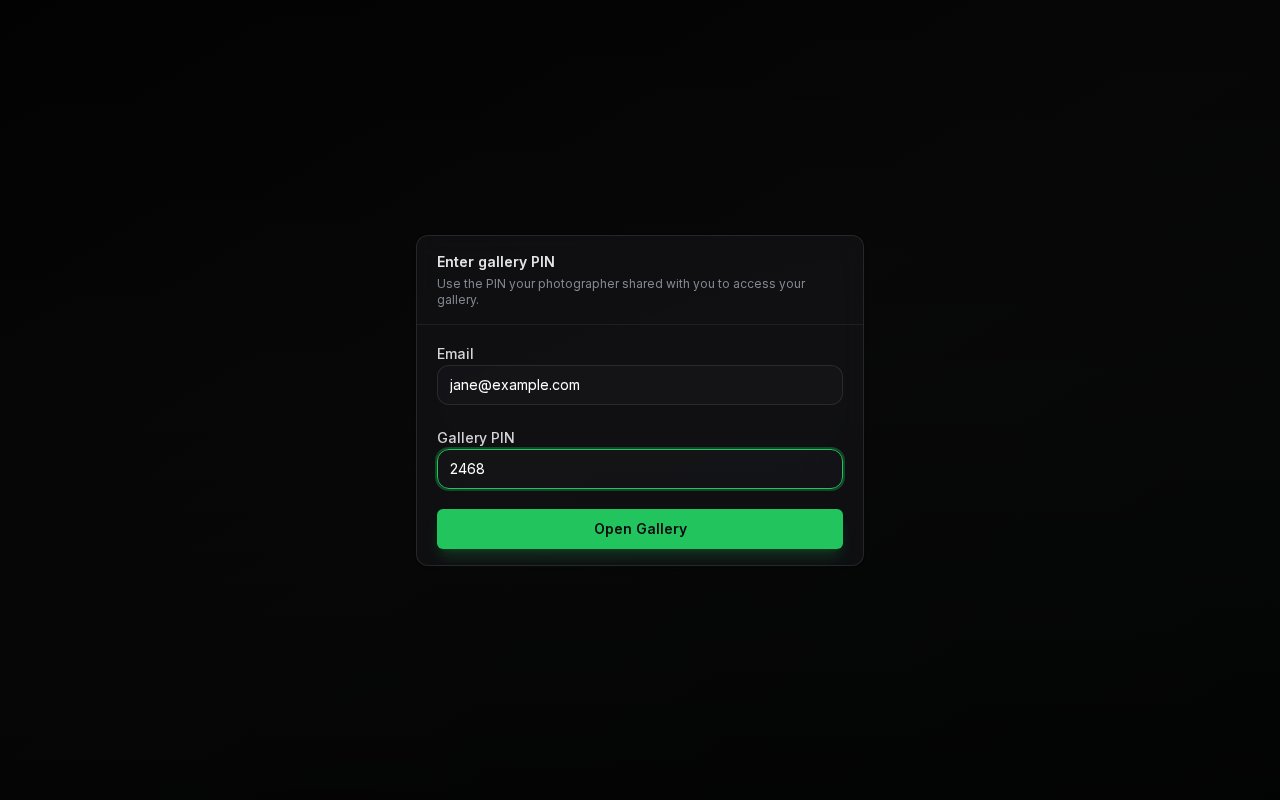
To ensure your photos remain private, your gallery is protected by a PIN.
Steps
- Find the Gallery PIN in your invitation email.
- On the Enter gallery PIN screen, type the email address your invitation was sent to in the Email box.
- Type your PIN in the Gallery PIN box exactly as it appears in the invitation.
- Click Open Gallery.
In the PixoProof mobile app, the button is called Access Gallery instead.
If you see Invalid invite token or PIN., check the email address and PIN and try again. If you try too many times in a row, you'll see Too many attempts. Please wait a moment and try again. For more help, see Troubleshooting Access.